How to Prepare Stems for Mixing or Mastering
Getting your stems ready properly before sending them to a mix or mastering engineer (or collaborator) saves time, avoids confusion, and makes sure your track sounds exactly how you intend it to. This guide walks you through a simple checklist to keep your stems clean, consistent, and ready to work with.
A clean stem handoff
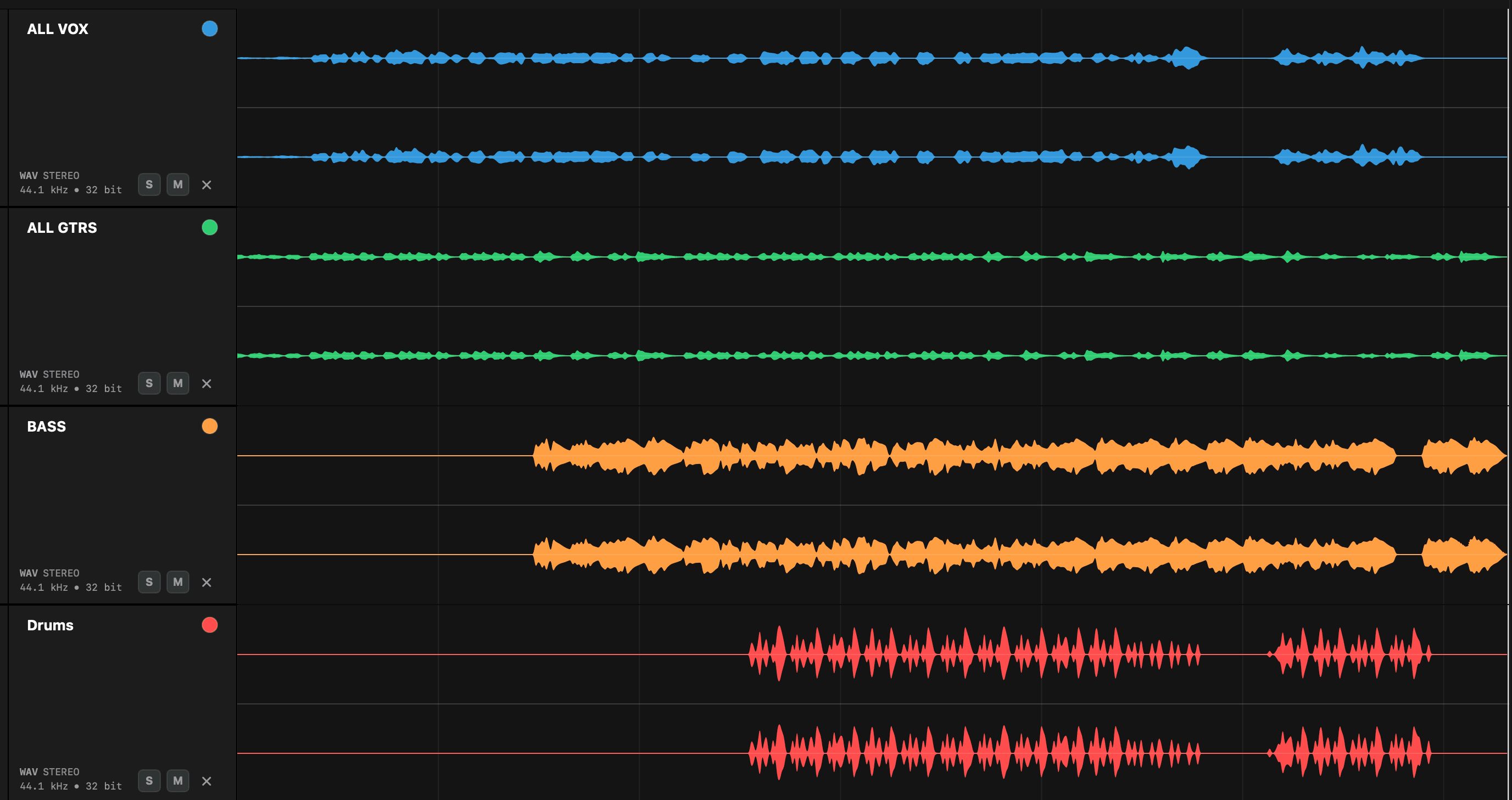
Every stem starts and ends together, so they drop straight into any session and line up perfectly.
What Are Stems?
Stems are grouped audio files exported from your project. Instead of sending an entire project session, you export key elements as individual audio files — for example:
Each file should start at the same point and run the same length, so everything lines up perfectly when imported into another session.
Why Proper Stem Prep Matters
When stems aren't prepared correctly, common issues include:
These issues slow down the mixing process and can lead to mistakes.
Common Mistakes to Avoid
A few small habits make the difference between a clean handoff and a frustrating one.
Different start times
Stems that begin at different points force the engineer to line everything up manually.
All stems should start from the same point — usually bar 1.
Inconsistent lengths
Files of different durations break alignment and make batch imports messy.
Keep every stem the same length, even if some are silent for sections.
Clipping and distortion
Peaks above 0 dBFS introduce unwanted distortion before the mix even starts.
Keep levels below 0 dBFS and leave headroom where possible.
Unclear naming
Vague file names force the engineer to open every file to work out what's inside.
Avoid
Audio_01.wavfinalfinal.wavbounce2.wav
Use
Drums.wavBass.wavLeadVocal.wav
Wrong export settings
Every file should share the same export settings so nothing shifts on import.
Sample rate
44.1 / 48 kHz
Bit depth
24-bit
File format
WAV
Stem Preparation Checklist
Before sending your stems, run through this quick checklist — tap each item as you confirm it.
A Faster Way to Check Your Stems
Manually checking every file can be time-consuming — especially across multiple projects or when collaborating with others. Stem Checker helps you quickly:
Verify lengths & alignment
Confirm every file starts together and runs the same duration.
Batch rename files
Clean up delivery names in seconds before you send.
Spot missing or silent audio
Catch empty exports and accidental omissions early.
Identify clipping & issues
Flag peaks and export problems before they reach the engineer.
This helps you catch export problems before sending and deliver clean, professional stems with confidence.
Final Tip
Taking a moment to properly prepare and check your stems before sending them out will save time, prevent confusion, and make collaboration smoother for everyone involved.
A clean handoff means no back and forth or delayed deadlines.
QC your stems in seconds — no DAW needed
Stem Checker loads and plays your stems in sample-accurate sync and flags length issues in your exports — mismatches, missing audio, duplicates, clipping, dual mono and more. A faster, more reliable way to review and organise your stems and multitracks.
Save time. Deliver with confidence.